Business Architecture – The Foundation of Understanding

Anyone who has been involved in information technology has no doubt been involved in many attempts to understand business needs and translate that into workable technology solutions. I have been no different in my almost 40 years of work in this industry. Many business stakeholders don’t believe it is possible for the “Tech Heads” to understand what they do and their needs. That is because we as an industry have done such a poor job of demonstrating understanding.

The Open Group has been leaders in the thought space of defining Enterprise Architecture. However, with such a broad spectrum to cover it is hard to get much depth. The Open Group Architecture Framework (TOGAF) provides guidance on how to organize and collect data about an enterprise (organization). There is structure provided that can frame / organize information about the organization into sections such as:

  • Business Architecture: This domain defines the business strategy, governance, organization, and key business processes. It ensures that the business vision and strategy are effectively realized.
  • Data Architecture: This domain describes the structure of an organization’s logical and physical data assets and data management resources. It focuses on data storage, management, and maintenance.
  • Application Architecture: This domain provides a blueprint for the individual application systems to be deployed, their interactions, and their relationships to the core business processes of the organization. It ensures that applications are aligned with business needs and data architecture.
  • Technology Architecture: This domain outlines the hardware, software, and network infrastructure needed to support the deployment of core, mission-critical applications. It includes the technical infrastructure and services required for the implementation of the business, data, and application architectures

TOGAF is not a prescriptive how-to book. It is a framework for developing your organization’s approach to developing and managing the enterprise architecture specific to your organization. It provides helpful guidance and, in some cases, helpful guidance on what to collect.

I have been searching for more depth in the domains and especially the business architecture domain. I found that when I was introduced to the Business Architecture Guild in 2017. I met one of the founders when he was brought in to talk to the architecture team at one of my former employers. He introduced us to the methodology for performing business architecture which the guild had developed and described in the Business Architecture Body of Knowledge (BIZBOK) guide which is available to the members of the guild. I joined and got access. What I saw was a well thought out approach to modeling the architecture of a business in a sustainable way.

The BIZBOK sees the world described in a set of domains that include:

  • Capability Mapping: This involves identifying and defining the business capabilities required to achieve the organization’s objectives. Capabilities are the building blocks of the business and represent what the business does.
  • Value Mapping: This domain focuses on understanding and mapping the value streams within the organization. Value streams represent the end-to-end processes that deliver value to customers and stakeholders.
  • Organization Mapping: This involves mapping the organizational structure, including roles, responsibilities, and relationships. It helps in understanding how the organization is structured to support its capabilities and value streams.
  • Information Mapping: This domain deals with identifying and mapping the information and data that support the business capabilities and value streams. It ensures that the right information is available to the right people at the right time.
  • Strategy Mapping: This involves aligning the business architecture with the organization’s strategic goals and objectives. It helps in translating strategy into actionable plans and initiatives.
  • Stakeholder Mapping: This domain focuses on identifying and understanding the key stakeholders and their relationships with the organization. It helps in ensuring that stakeholder needs and expectations are met.
  • Initiative Mapping: This involves mapping the key initiatives and projects that support the organization’s strategy and business architecture. It helps in prioritizing and managing initiatives to achieve strategic goals.
  • Product and Service Mapping: This domain deals with mapping the products and services offered by the organization. It helps in understanding how products and services align with capabilities, value streams, and customer needs.

The key here is that it does not rely on one dimension to understand the organization. Rather it uses all the domains listed above to describe aspects of the organization and how they relate to each other. This approach gives a complete view of the structure of the enterprise without leaning too heavily on one representation to represent the view of the organization.

I have come across many attempts at definiing business architecture where the only artefact being produced is a “capability model”. I put it in quotes because what comes out of the attempt is often not a capability model, but rather a compendium of organization and process. The artefact is often informed by process models. In the end, the model is brittle and does not identify commonality among business areas.

The Business Architecture Guild’s process is more involved, but the result is a model that is more stable and allows the business architect to start to see the areas of commonality. This can be critical to building understanding within the business areas that they are often not as different as they think. There are many common capabilities that can and should be leveraged.

My one extension will be to extend to add one more domain. That is the application. Applications often bring capabilities to life. Understanding the capabilities delivered by applications can assist in understanding where duplication lies. And thus, hopefully, lead to making the case for reducing the spend on software to provide the same capabilities over and over.

Many organizations are rife with this type of behavior. Inability to understand business needs leads business stakeholders to seek their own solutions. Often unaware that other stakeholders in the organization have done the same for possibly the same capabilities. This results in overspend on software and the requisite costs to support these different solutions.

I am currently working on tooling to enable capturing and analysing this information. There are lots of tools on the market. In my world, cost is a big factor. I am currently working on building customized tooling using a platform from Sparx Systems called Enterprise Architect. But, that is a story for another post.

.NET Introduces More Cross-Platform Support

If you have been following the progression of the .NET world, you will no doubt have noticed a shift from the traditional Windows-based framework to a cross-platform library that allows programs to be run on a variety of platforms, including:

  • Windows
  • Linux
  • macOS
  • Docker

That means that developers can now develop and target solutions to any of these platforms. The introduction of .NET Core has made the move to cross-platform compatibility possible. The new .NET Core is a bit of a departure from traditional .NET Framework. While similar in features, they are quite different.

What does that mean for legacy .NET code? I cringe to say the word legacy since I was around when the original .NET was introduced about twenty or so years ago. Legacy for me is COBOL, but that is a story for another day. But the truth is that “legacy” code will require some work to bring it forward. .NET Core has enough changes to make it interesting.

You might be asking “Is it worth it?” Well, I will give you the same answer that many .NET developers will provide “It depends.”

If you are doing a new project, then the answer is a no brainer. Target the new .NET Core libraries and make use of the advancements available:

  • Web applications can take advantage of .NET Blazor and the ability to build responsive web applications that run either on the server or directly in the browser using webassembly.
  • Applications can be hosted on either Windows or Linux platforms. .NET Core code can execute on either.
  • Traditional application types are still supported: console, ASP.NET MVC, ASP.NET Web API, etc. With the bonus that many of them will run on other platforms.
  • Tooling is available for Linux and macOS platforms, as well. Visual Studio Code provides a free and open-source editing environment that operates in Windows, macOS and Linux. You can also use Visual Studio on Windows and macOS.
  • Docker loves .NET Core which is in large part due to the support for Linux. It is much easier to package your applications in containers for quick deployment. Microsoft provides support for many of its tools in containers. Other vendors do as well.

There is a lot of flexibility. A bit of a learning curve as some of the components that are popular, such as Entity Framework, have a slightly different spin on them. So, strap on your boots and get learning.

What about my “legacy” .NET Framework application? Well, the answer is a bit trickier. If you find yourself just maintaining and tweaking your application with no view towards hosting it cross-platform, then I would say stay where you are. However, if you want to leverage any of the advantages of the new .NET Core platform and eco-system, then you are in for a bit of work.

The amount of work will be significant, but not insurmountable. I looked at one application I had written for a client. The original app had about sixty hours of work in it. I estimated it might take me 20 hours or so to migrate and fix up the code. About 30% of the original effort. I may be wrong. It could be more efficient. But again, it would come down to what advantage it would provide for my client to do the work.

Don’t forget that twenty hours of my work would then translate to a full QA cycle for the client, as well. So, the advantages of moving would have to be there. The other danger would be the temptation to refactor the code to leverage new features. That could be a rabbit hole that got very deep very quickly.

.NET Core is where the investment is going. I love that about Microsoft. They always promise to maintain the old while working on the new, but you can clearly see where the bulk of the investment is going. Case in point is another new feature which makes targeting applications cross-platform even better.

.NET MAUI (Multi-platform App UI) is the new feature on the block. Imagine building applications that could be deployed to run on Windows, macOS, Android, and iOS. Well now you can with .NET MAUI.

Starting with .NET Core 6, the .NET MAUI framework allows you to build applications that can run in all these environments. This is the evolution of the toolset Microsoft acquired known as Xamarin.

Xamarin focused on building applications that could run on Android and iOS platforms. But now, .NET MAUI makes that same approach available for applications that will run on all four platforms.

Visual Studio is evolving tooling to support building these applications. Visual Studio Code could be used for building code, but my sense is you will want to target using Visual Studio for ease of development.

Another twist is that you can turn your .NET Blazor web application into a native application using .NET MAUI. The platform uses a special component developed to allow .NET MAUI to host the web pages. I saw a demo from the recent Ignite conference and it was seriously cool. You can either host the Razor web pages as is or do a mix of .NET MAUI and Razor web pages to create the best mix.

I can remember several times in my thirty plus year career that I said it was a cool time to be alive and be a programmer. But I have to say it is yet again a cool time with many advances. Of course, if you have systems built in “legacy” .NET Framework code, then you have to weigh the cost to upgrade it with the cost to stay with the status quo.

As a developer, I can say without hesitation that there is never a dull moment. The opportunity to advance our state of the art is still moving forward at an incredible pace. Fortunately, technology is helping us to code faster. But that is a story for another blog post.

Automating Workflows

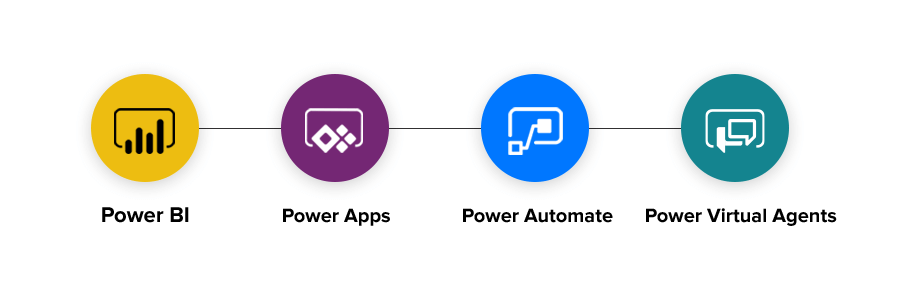
Automation of common tasks (workflows) used to be something that required special and expensive tooling to accomplish. Microsoft has introduced a suite of tools collectively known as Power Platform(r) which can assist in automating various tasks in and around your office.

Power Automate is specifically the tool that allows you to automate steps in a process to perform routine repetitive tasks. For example, I recently built a set of budget spreadsheet templates for client and a workflow that took those templates and automatically created worksheets for each of their offices. I was able to copy the template and modify it to provide a document each office could update. The workflow even sent an email to the managers of each office asking them to provide the information for their office.

The possibilities are endless. The whole platform is enabled by connectors, triggers, and tasks that are provided from a variety of sources. Microsoft provides a great set out of the box. But, the vendor market for these is growing. The limitations are practically non-existant.

For example, say you want to monitor the Twittersphere for posts with a particular hash tag and take action on that occurrence. You can do that! You can have people fill out a form and then trigger an appropriate action to react to the form being filled in.

Recently, Microsoft introduced the Power Virtual Agents which run on a desktop or a server to perform more interactive tasks. And these can be part of an overall workflow. So, imaging being able to react to something happening in “the Cloud” and have that trigger an activity to perform a routine task on your desktop. Pretty mind blowing.

Power Apps is another part of the picture. It allows creating of applications which act on data stored anywhere a connector exists to reach. Of course, it puts data in SQL databases, but it can also access sources like a SharePoint library, OneDrive, etc.

Using Power Apps does not come without a cost. Especially if you want to access data stored by Microsoft in their product which is now called DataVerse (formerly Common Data Service). DataVerse provides a place to store data with many common data entities already available. But, you can also build your own.

Recently, Microsoft announced DataVerse for Teams which makes the cost a little bit more bearable. Now, there is an allowance for up to 2 GB of storage per team to host data which is accessed by an application within Microsoft Teams. This will allow teams to build custom applications to serve their team members.

There is a lot of change and possibility in the Microsoft 365 eco-system. Power Platform is just one of the many tools and technologies that Microsoft has provided to make people’s lives just a little bit better and hopefully remove some of the tedious drudge work.

Getting Hacked Is No Fun!

It’s a Tough World Out There!

Lately, I have been hearing more and more stories of hacking and its effects. This week I had a friend relay to me a traumatic experience she had with a popular meeting platform and being subjected to graphic images of child pornography during a webinar. It is unfortunate that people seem hell bent on disrupting other peoples lives. And the effects can be very disturbing. I know my friend is having a tough time dealing with what she saw when the meeting was bombed by a sick individual.

As a society, we have to deal with the effects of hacking. It is big business. Billions of dollars are lost each year directly and indirectly to hacking schemes. The direct effect could be loss of your money. Business have had huge sums of money stolen from them using a variety of different approaches. Sometimes, they get it back. But, for the individual, often the attempt to get the money back is frustrating and fruitless.

I read a white paper several years back that stated it quite bluntly. The major risk to cyber terrorism is the ordinary person who has a computer at home. These days, they have become like another appliance in our homes. We have them, but we don’t really understand them.

Organizations spend a ton of money on personnel, software and equipment to protect themselves. Even then we see headlines about companies being hacked and information being stolen which often used for nefarious purposes. The smaller the organization, the worse it is because they don’t have the money to devote to protecting their information assets. And, don’t kid yourself! Information is an asset that needs to be protected.

Information has become the new currency in the digital society we live in. If you have it you can get a leg up on your competition. It helps organizations to be more effective in pursuing their primary purpose whether that is making money or spending it more effectively.

The big question you need to answer is “How much are you spending on defending your computer from external attacks?” Many people don’t take the threat seriously until it is too late. And, once the hackers have you, it is too late. All you can do is deal with the consequences.

How bad can it get?

I will give you another example of a friend who worked for a small company. They thought they were doing the right things to protect themselves, but one day they fell victim to a ransomware attack.

What is a ransomware attack? Well, it is an attack vector that has become popular in the last few years. Companies of various sizes have fallen victim. All it takes is a moment of carelessness by one person in your organization and the hackers have you.

Ransomware seeks to infect machines and encrypt the information on them. The computer typically locks up and displays a message telling you that you are a victim and attempts to extort payment from you to obtain a key for decrypting your machines. The cost can run into the thousands. And here is the kicker, just like a typical ransom, you pay it and there is no guarantee of your data being restored.

What happened to my friend? They basically reformatted everything, restored data from backups and attempted to address the weakness that let the hackers get in. It cost them time and money to recover from something that was potentially avoidable, but hard to achieve when you only have so many dollars to spend on IT. In the end result, they recovered their data and re-entered transactions  to get up to date. They were lucky, it could have been far worse. They were a company with only a dozen or so employees. They only lost a week or so of productivity. But, imagine a company with 100’s of employees.

What Can I Do?

There are so many things you should do, that it becomes overwhelming. I will attempt to provide a list of the top actions you can take:

  • Use better passwords
    Simple passwords are like using skeleton keys for the front door of your house. We used to do that but when criminals got smarter and we needed to get smarter to keep them out. If you are not using passwords that at least 12 characters long with a combination of letters (upper and lower case), digits and special characters, then you are asking for someone to walk through your cyber door and take whatever they can find.
  • Use different passwords.
    It would be great if we could rely on 1 key to access all the doors in our lives, but that is very risky. We sometimes do it at home, but you would not feel safe if everyone on the block had a door which opened with the same key. Same should be true of passwords you use on the Internet. For highly sensitive sites, like banks and credit cards, use different passwords that are as random as you can manage. If it gets overwhelming, then use a password manager to help you out. Less sensitive sites may not require as much diligence, but you should still make the passwords follow the guideline of no less than 12 characters with a mix of characters.
  • Implement Multi-Factor Authentication wherever possible.
    What is that? Well, it is like having a key to open your door and then a second mechanism that proves you are who you say you are. For example, a lot of us have Microsoft Accounts because we installed Windows 10 and it recommended we use one. A Microsoft Account has the ability to turn on Two-Factor Authentication. That means that you will need your password and one other thing to actually log into any site where access is controlled by a Microsoft Account. Microsoft has an app for your phone called Authenticator that you can install and link up with your account. Every time you log in using your account and password, your phone will ding and a question will come up asking you to verify it is you logging on. To make it more secure there is a code provided that should match what you see on the screen. If not, then say no to the request. The worst thing that can happen is you have to sign on again. Many of the major sites provide this feature. Use it when it is available to protect yourself from hackers.
  • Install a Good Anti-Virus and Firewall program.
    Your first line of defense is a good offense. There are lots of AV / Firewall vendors on the market. Find a reputable one and pay the renewal fees every year to keep protected. Check with your Internet provider. They may have a free option available for their customers to use. As long as you feel comfortable. Best is to find one that can protect all your devices: desktop and mobile.
  • Security Starts At Home!
    Most of us have a need / desire to provide Internet for everyone in our home. That probably means you have a WiFi router installed on your premises. Make sure that you get help to set it up as securely as possible. This is a common attack vector where someone sits outside your house and gains access to your WiFi and then uses that access to plunder the devices on your network or worse to attack other people and when the authorities come knocking on your door to arrest you for hacking the planet, you can look totally surprised. Limit who uses your WiFi to people you know very well and trust completely. Don’t give out the passcode for your network unless you know the person using it.
  • Think before you click that link!
    A lot of the attacks that hit people are a result of emails with links in them that take you somewhere to do something that will ultimately harm you. For example, I got an email that looked like Netflix was asking me to sign in and update my credit card information. However, when I examined the link they provided, it looked very hokey. The from address on the email was also off. If you get an email with a link in it, first of all be suspicious. Be very suspicious! Many large companies will not send you an email asking you to do something sensitive. Often these are attempts at phishing for information by hackers. It may be as simple as obtaining your email address and password. If you use the same password on multiple sites then you have just given the kids the key to the candy store. Hover your mouse over the link and then see what it says in the popup text. Even if it looks close, practice the motto of close only counts in horseshoes and hand grenades. Don’t get sucked in.
  • Beware of too good to be true offers.
    If it looks too good to be true, it probably is. Crooks only need a small number of people to fall for their scheme to make it profitable. Often you buy in and then never receive the merchandise. And, you hope that is all that happens because they potentially have your credit card details. Be very careful with credit cards. Only use them on reputable vendor sites. Fly by nights are dangerous in real life and even more so on the Internet. You never know where that company sits. And, many countries in the world are safe havens for cyber criminals. Good luck getting any money back! Хорошего дня! (Have a nice day! in Russian)

These are a few key items that you can do to protect yourself. Will it guarantee that you never get hacked? Nope! But, it will make it a lot harder for someone to do it. And, the hard truth about the Internet is that cyber criminals work on volume. If you represent too much of a challenge hopefully they move on to the next victim.

Protect yourself! If you don’t nobody else will. It will cost money and sometimes you need to pay to have an expert help you out. But, in the end, it will be cheaper than living with the consequences of not doing it.

Glenn Walker
the dotConsultant

Simple Speech Timer

I finally decided to dabble in the world of writing apps for the Microsoft(R) Store. My first project was one of personal necessity. A simple timing application for speeches. As well as a geek, I am a member of an organization called Toastmasters. We time speeches during meetings.

I tried several other peoples applications, but had not found one. So, I built my own. It was not that hard and gave me my first exposure to writing an application using the Universal Windows Platform.

Like anything, I already have several enhancements that I would like to make. Geeks are never done until they are done.

The process is quite involved. If you think about it, you are becoming a partner with Microsoft who will sell your software. I chose to charge something for my first application to see what that process is all about. Hopefully a couple bucks won’t deter people from buying it.

I should have documented the steps more closely because I am not sure I will know them all for future. But, suffice to say that it was not that hard.

Visual Studio does most of the heavy lifting of bundling your software for distribution. I had a few issues, but it turned out they were niggly things. Once I Googled the answers, I was able to figure it out and get all the way to building the packages needed for publishing.

My next project will no doubt be more advanced, so it will involve more steps.

The one thing I did not think about is that you need to be a little bit handy with graphics tools. You need to be able to create the basic look you want for the iconography for the application. Again, Visual Studio did a lot of the heavy lifting. I was able to create one graphic that was used to generate all the other sizes. Works well, but if you are fussy about the look, you will probably want to hand craft the various icons yourself.